Search results for: computers tips solution add usb 30 connectivity your computer
About 7 filtered results
by Steven Esposito · Posted
So, you have taken the first steps into the wild world of livestreaming. You’ve gathered the necessary tools, found the right computer for the job, and now you are ready to create interesting content. But you might be wondering how to do the livestreaming part. It can feel a bit overbearing and complicated, but it is actually quite easy. Today we are going to go over how to get started with a world-renowned, free-to-download program called Open Broadcaster

by Jennifer Hahn · Posted
With video technology getting smaller, more powerful, and more budget friendly, it is no surprise that PTZ cameras have been rising in popularity in a variety of industries such as film, broadcast, and corporate environments, but one of the most innovative advancements in PTZ camera technology is their integration into live sports and sports analytics. PTZ cameras have a great set of features to fit into a
by Jennifer Hahn · Posted
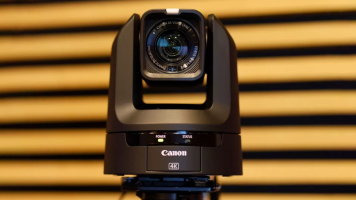
For multi-camera environments—such as house of worship, conference centers, product demos, remote education environments, or even multi-camera video podcasts—PTZ (pan-tilt-zoom) cameras are a great choice as they are easy to control remotely with small crews. One of the easiest ways to get your cameras up and live streaming quickly is with the Blackmagic Design

by Jennifer Hahn · Posted
I’ve always had a fascination with virtual sets on news programs, film FX, and live events. When I came across the Indian sport Kabbadi a couple of years ago, I was delighted not only to learn about this pro sport (PKL), but also at the technology utilized in the broadcasts. Particularly delightful was the AR graphic insertion of the “living” 3D team mascots placed onto the court when introducing the match. Since I often write about PTZ cameras, this sent me down a rabbit hole of how these productions utilize

by Shawn C. Steiner · Posted
Wedding season is upon us! Whether you are a wedding photographer, videographer, or the one getting married, the question of livestreaming the event has probably come up. Keeping in touch with distant relatives via video calls is now much easier and sometimes you want to invite people to the big day who just can’t make the trip. If you want to learn how to livestream a wedding using Sony cameras, follow along for a few different options, ranging from simple to professional.
The Core Accessories
Before we get started, we are assuming you want

by Phillip Nichol… · Posted
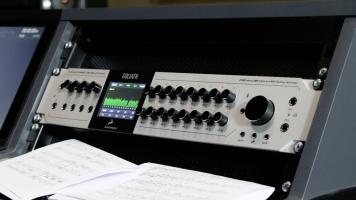
It seems that every day in most cities around the nation, there are concerts, theatrical productions, and songs performed at houses of worship. People often want to relive the experience and make it available to others who couldn’t be present for the original event. Multitrack recording unlocks the greatest potential for high-quality capture and reproduction of the audio from the live event. In live productions, all used channels get recorded simultaneously. So, track counts can easily fall into the 20 to 70 range. Companies such as Midas, QSC
by Phillip Nichol… · Posted
So, you want a new audio interface, eh? It’s not like the old days when there were only a few options. Now, there are a bunch of brands such as Apogee Electronics, Antelope, Audient, Focusrite, MOTU, PreSonus, Universal Audio, and Waves, and each manufacturer normally has several interfaces in its product line. You don’t want to buy something that will be insufficient for the work you do, nor do you want to spend too much money on something that is far more than you need. So, how do you pick one? It all starts with asking yourself the right