Search results for: tips solutions Computers feed
About 20 filtered results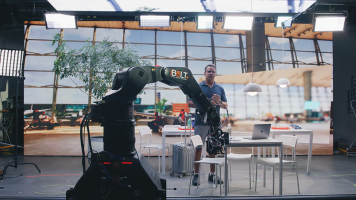
by Zack Young · Posted
On-set virtual production (OSVP) is the real-time mixing of live-action footage with computer-generated imagery to create amazing in-camera visual effects (ICVFX). These days, most OSVP happens on a volume, a studio space with seamless LED panels (or cabinets, as they’re known in OSVP) grouped together to display rendered images that are then captured live in-camera alongside human talent. These cabinet configurations can be as simple as a flat backdrop stacked from the ground up, and as complicated as a full curved 360° wrap hung from trusses

by Zack Young · Posted
Virtual production (VP) is a professional video technique that combines live-action footage with computer-generated imagery (CGI) in real time. Virtual production typically happens on “volume” stages where seamless interlocked LED panels display rendered photo-real backdrops that change and adapt as the camera moves. This creates impressive in-camera virtual effects (ICVFX) that require little to no post-production work. Let’s jump into the exciting capabilities of
by Steven Gladstone · Posted
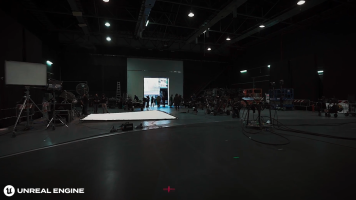
Your virtual production (VP) system isn't just playing back high-resolution video in the background. To work as believable 3D your system must be able to render in real-time and in high frame rate realistic 3D environments. To create and playback these environments you need creation software.
What Is Unreal Engine?
Simply put, it is an advanced real-time creation tool that powers your virtual production. It is based on 3D computer graphics gaming engine, and I remember playing Unreal as a multiplayer first-person shooter game, way back in the

by Zack Young · Posted
A media server is a key step in the on-set virtual production (OSVP) pipeline, sending assets like background plates, LUTs, and tracking data over a network so that they can be used to create unique real time in-camera virtual effects (ICVFX). Whether it be a rendered set from Unreal Engine or an uncompressed prerecorded background plate, the media server is what stores and transmits these virtual pieces to the LED walls and processors. Let's dive deeper into what these servers do.
What's Important in a Media Server?
Media servers for virtual

by Zack Young · Posted
While many video podcasts might start off only utilizing one camera, adding more typically becomes the first upgrade that creators make as they build out their shows. Having multiple angles to cut between makes the final podcast more engaging to watch and can often produce high-quality close-ups that help viewers really connect with your talent. But with more cameras comes more responsibility, so let’s break down how best to approach a multi-camera video podcast setup.
Cameras and Lenses
While the ideal will always be to have identical camera

by Steven Esposito · Posted
So, you have taken the first steps into the wild world of livestreaming. You’ve gathered the necessary tools, found the right computer for the job, and now you are ready to create interesting content. But you might be wondering how to do the livestreaming part. It can feel a bit overbearing and complicated, but it is actually quite easy. Today we are going to go over how to get started with a world-renowned, free-to-download program called Open Broadcaster

by Rebecca Melville · Posted
If you have found yourself moving, downsizing, or going away to school, you might be dealt a desk area that is drastically smaller than that to which you are accustomed. If this is you, or will be you sometime soon, a small workspace is no reason to panic. With some intention and a bit of finessing, you can cultivate a sleek and functional small desk setup without compromising on quality. I am going to share some helpful pointers with supplementary products to consider while you transition into a new, smaller workspace.
Lose the Monitor Base

by Zack Young · Posted
While it may be tempting to prop your phone against a book, shoot one long clip of your podcast, and send that clip straight to the interwebs, that strategy probably won’t rocket you to the top of the charts. By taking a more thoughtful approach to editing and posting your video podcast, you can unlock the full potential of the form and grow a dedicated, engaged audience. Today, we’re going over four of the most important considerations when it comes to editing your video podcast.
Multi-Camera vs. Single Camera
Shooting with one camera (or

by Zack Young · Posted
The bread and butter of PTZ camera usage will always be situations where a second take isn’t an option—sports, musical performances, public presentations, religious ceremonies. These are productions where getting great footage the first time around isn’t just ideal, it’s imperative. And one of the easiest ways to step those productions up is by using more than one camera. By having multiple angles to cut between, you’re giving yourself both variety and safety. But more cameras also mean more potential headaches, with extra cable runs, the

by Jennifer Hahn · Posted
With video technology getting smaller, more powerful, and more budget friendly, it is no surprise that PTZ cameras have been rising in popularity in a variety of industries such as film, broadcast, and corporate environments, but one of the most innovative advancements in PTZ camera technology is their integration into live sports and sports analytics. PTZ cameras have a great set of features to fit into a
by Jennifer Hahn · Posted
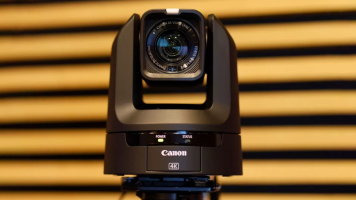
For multi-camera environments—such as house of worship, conference centers, product demos, remote education environments, or even multi-camera video podcasts—PTZ (pan-tilt-zoom) cameras are a great choice as they are easy to control remotely with small crews. One of the easiest ways to get your cameras up and live streaming quickly is with the Blackmagic Design
by Jennifer Hahn · Posted
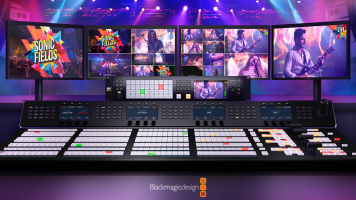
Remote control of PTZ cameras and robotic heads is a robust subject with many options, including hardware and software controllers, IP and serial transmission methods, and numerous protocols for compatibility with just about any PTZ camera or robotic head on the market. Blackmagic Design's popular ATEM switchers are used throughout the globe, and many models have interfaces to enable remote control of PTZ cameras.

by Trevor Collins · Posted
These days it often seems like everyone has a podcast. With so much competition and so many options for podcasting-centric equipment, it can be daunting to dive in headfirst without knowing the ropes. That’s where B&H comes in, with another all-encompassing guide to set you up for success and help you get your content off the ground as painlessly as possible. Let’s begin.
Why Make a Podcast?
The first topic couldn’t be simpler: Why even start a podcast? The answer is simple−because it’s the best way to get your content to the masses

by Gabby Bloch · Posted
If you’re just starting out on your podcasting journey, it may be helpful to refer to our podcasting glossary. It provides common terminology pertaining to everything podcast related, from equipment to recording and mixing, distribution and more. We have also divided the terms into various categories to simplify your search.
Table of Contents:
Audio Terms
Podcast Equipment
Podcast Recording & Production

by Gabby Bloch · Posted
While there is a ton of information about DI boxes for electric and bass guitars out there, keyboardists are often overlooked. In this article, we’ll explore whether you need a DI box for your keyboard setup and give you a better idea of the kind of DI box that’s suitable for your particular instrument. We’ll also provide you with some product examples to make your search easier.
Do I Need a DI Box for My Keyboard?
In many cases, you may not