Computers
- Recently Added
- Popularity
- Name
About 52 filtered results

by John Foldi · Posted
Would you drive a Lamborghini to take the kids to soccer practice? Even if money was no object, the answer is likely no. While fast enough to get the job done, good luck fitting everyone and everything inside. An extreme example, but the same idea holds true for many things, such as your home network. A good home network needs more than just raw speed. It also needs to provide features that make it the right fit for you and your family. Is Wi-Fi 6 worth the upgrade? That depends entirely on how you use your network today, or how you may use it

by William Min · Posted
If you’re looking to access your external hard drive without having to deal with the archaic method of lugging it around your home and plugging it into every device with which you need to use it, there are two simple solutions on how to share your external hard drive via your Wi-Fi network.
For the first solution, you’ll need to check your router. Most modern routers have a USB port into which you can plug in a USB-compliant device to share with other devices on your network, like a printer or, in this case, an external hard drive. Once you’

by Marc Spiwak · Posted
It’s quite common to have an old computer die on you and not have it repaired, especially if it’s more than a few years old. But what can you do with the old carcass?
If a computer dies for any reason other than a dead hard drive, you can always convert the old drive into an external unit, and grab important files off the drive in the process. The same thing can be done if you install a larger hard drive in your computer and don’t know what to do with the old one.
The first thing you should do before investing any time and money in an

by Jason T · Posted
As we approach the end of what’s turning out to be one of the weirdest summers on record, that nagging back-to-school feeling seems to “hit different” in 2020, as the kids would say. For many of our kids, it means virtual classes are back, and they may be here to stay for quite some time. Some of us are returning to work in the office, but for others, it seems like work from home is going to be the new normal.
If you have been working from home and attending meetings virtually, you’re probably familiar with the ear fatigue that can develop

Posted
Doug upgrades his workstation, showing you how to choose parts in order to create your own custom content creator computer. He asks a lot of his computer: 4K video editing, color grading, music production, motion graphics, photo editing, and gaming. A lot of you out there are probably doing all of these things and more, so why not build a computer that can do it all?
For an additional step-by-step tutorial, check out our How to Build a Gaming PC.

by John Foldi · Posted
High-quality lines of communication are essential for everything from catching up with friends and family to communicating with management and colleagues while at work. VoIP devices are a cost-effective solution that takes your traditional phone service online. VoIP stands for “Voice over Internet Protocol” and uses your existing Internet connection for phone calls. Depending on your VoIP phone and service, you can also keep traditional functionality,
by William Min · Posted
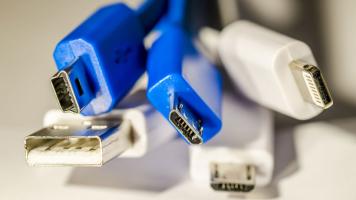
For something that has universal in its name, USB naming conventions are anything but. From long names to standard changes, it can become increasingly difficult to figure out what all the letters and numbers mean. And it has only gotten worse, now that USB naming conventions have changed once again.
First, we’ll look at the number that follows USB, like USB 3.2 Gen 1, USB 3.1 Gen 1, USB 3.0, and USB 2.0. That number refers to different maximum data-transfer rates. Let’s start with the most confusing one: USB 3.2 Gen 1 can support up to 5 Gb/s

by Jill Waterman · Posted
When scrolling through websites, have you noticed anything different in your browser lately? If not, then log on to Google Chrome and direct your attention to the upper left-hand corner of the address bar. There you will learn if the site you are visiting is “Secure” (using the prefix HTTPS, for Hypertext Transfer Protocol Secure) or “Not Secure” (using the prefix HTTP, for Hypertext Transfer Protocol).
The effort to create a secure online experience is nothing new. In fact, security was a concern long before the Internet became available to

by Patrick Chiang · Posted
The Wi-Fi Alliance has recently introduced the next generation of Wi-Fi connectivity, known as Wi-Fi 6, based on 802.11ax technology, along with a new naming convention. Most consumers are familiar with the 802.11 standards; however, this new sequential number rebranding is intended to simplify things in the long run. Previously, the naming design used the alphabet, starting with a to b to g and n, with each one representing the next generation. We'd expect z to be the last or fastest one, or until they have new names, but suddenly we're on

by William Min · Posted
Have you noticed your computer being slower than usual? Before you use this as an excuse to purchase a new laptop (we know it’s tempting), you might want to opt for a more cost-effective approach, which is cleaning out the hard drive (HDD). In a few simple steps, you can analyze and clean out your HDD to free up valuable storage space. Defragging your old HDD and properly formatting newly-installed SSDs will ensure that your computer doesn’t become bloated or sluggish.
Always Back up Your Data First
Before you start doing anything to your hard
by Cris Silvestri · Posted
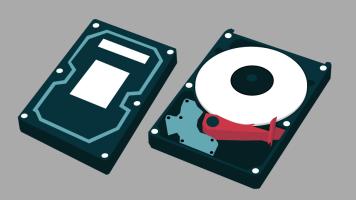
There's a lot of tech that we don't understand, and consequently, a lot of tech that we don't need to understand. Do I need to know how a Hadron Collider works? Probably not. Do I need to understand that the CD tray in my desktop computer is not a coffee cup holder? Probably.
Most of us have an innate curiosity—developed when we were wee lads and lassies and thought that refrigerator gnomes existed to turn the fridge lights on and off—that spurs our need to know things. Perfect example: hard drives. We know they exist, we see them listed in
by Lawrence Neves · Posted
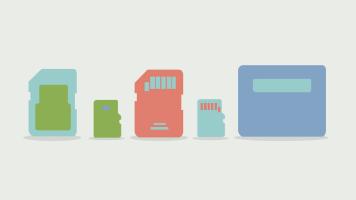
Memory cards—like memories—come and go all the time. Most people who shop for memory cards do so for storage, but there are many other reasons to buy a memory card. Here’s a short profile of some memory card shoppers, some recommendations, and even some tips on how to shop smart.

by Cris Silvestri · Posted
Data breaches and unsecure networks are serious business. When a gigantic corporation like Yahoo or Home Depot can’t prevent unwarranted access to its data, what hope does a private citizen, armed with a router and a cheap spyware program have to protect their valuable information? Last year, data breaches reached an all-time high. According to the Identity Theft Research Center, data breaches were up 40% last year, after a record high in 2015. Hacking, skimming, and phishing attacks are the most common, which can easily morph into identify

by Alec Kubas-Meyer · Posted
Back in high school, I was sitting in the computer lab and looked over to see a classmate on a Santa-themed shopping website. I asked him what, exactly, he was doing there, and he waved me over. In a random fill-in box about halfway down the page, he put in a URL that was blocked by the school’s filtering system. Suddenly, the shopping site disappeared, replaced by the blocked page.
Thus, I was introduced to the world of proxies.
Proxies are services that allow you to bypass filtering systems via misdirection. Rather than going directly to

by Patrick Chiang · Posted
Once you start gaming, you’ll realize there’s a lot of jargon, slang, and acronyms floating around that you may have never heard before. You may wonder, are these actual words? Are they speaking Orcish or some other fantasy nerd language? Instead of widely known and easily digestible phrases like “Idk my bff Jill,” you’ll be tasked with deciphering sayings like “DL addons like HealBot and ElvUI,” “watch out for the AoE,” and “that dude got rekt!” If none of that made sense and you’re already rolling your eyes, then you’re in luck: we have a